For Outlet Pro, I use the new
text-boxCSS property on the product badges to align text precisely.
I’d like the product badge in Outlet Pro to resemble a clearance sticker found in a retail store, and hopefully set it apart from looking like a clickable UI element. For this, the badge needs precise text alignment and tight spacing, but also should work with any font selected by the theme or user.
Since browsers reserve space above and below text using metrics provided by fonts, when vertical alignment is needed, a margin typically needs to be added with CSS to reposition the text within the reserved space. However, this only works when the font is known. Unfortunately, this is not the case for Outlet Pro — the text in the badge must be precisely aligned no matter what font is used. Thankfully, the new text-box CSS property can solve this by removing the reserved space altogether.
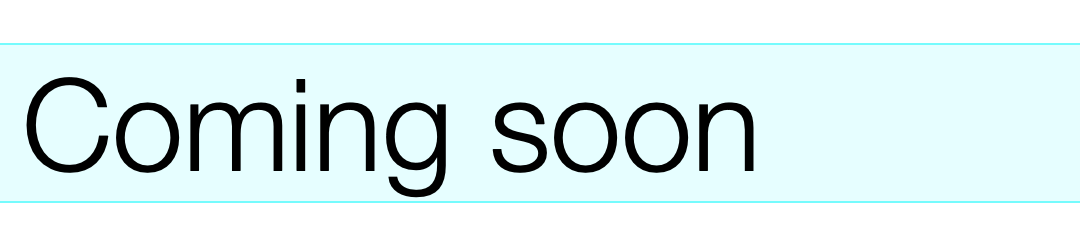
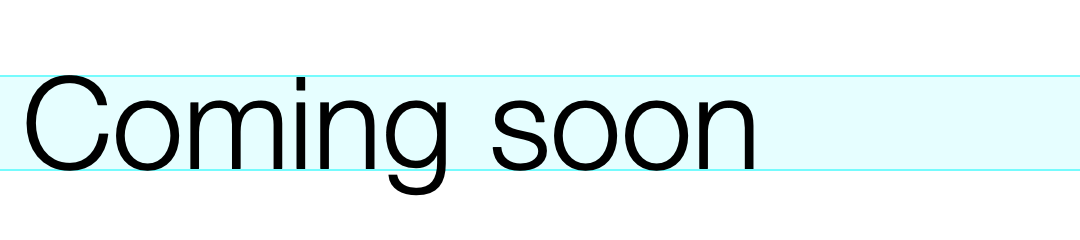
In the example above, the text-box is trimmed exactly to the capital letter height, (also known as “cap height”). Spacing around the text can then can then be applied precisely using padding . Here I’ll set the spacing to half the cap height, no matter what the font is:
text-box: trim-both cap alphabetic;padding: 0.5em;

The text-box declaration does a lot of heavy lifting in one line. It’s actually the shorthand property for two others: text-box-trim and text-box-edge. It’s saying, “trim the text box to the cap height, flush with the alphabetic baseline”.
This exciting new CSS feature is currently supported by Chrome and Safari only, with Firefox support on the way.
